VNC Emergency Console
The VNC Emergency Console provides critical remote access to your GPU Server instance even when SSH connectivity fails or misconfigured iptables/firewall rules block standard access methods.
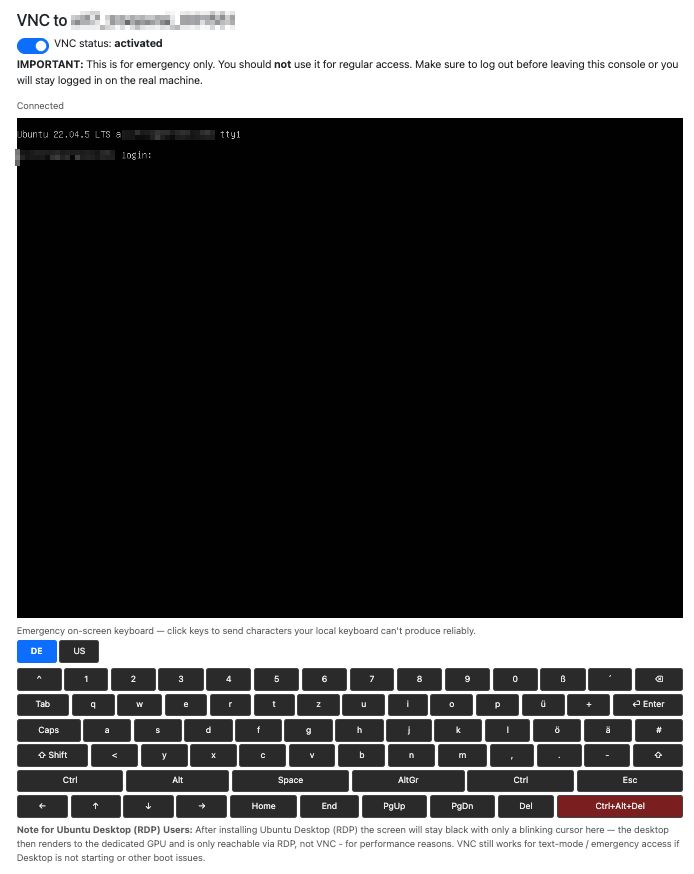
This feature supports on-demand activation and deactivation, allowing seamless integration into your workflow. Should you encounter characters unavailable on your physical keyboard, utilize the integrated virtual on-screen keyboard for precise input.
Our platform natively accommodates both German (DE) and American English (US) keyboard layouts. However, users retain complete flexibility—your local system configuration remains unaffected regardless of which layout preference you select within your GPU Server Blibs.
🔒 Security Advice
To ensure proper resource management and security, follow these steps regarding the VNC Console:
Always terminate your session correctly by either:
- Typing
exitin the terminal, - Or properly closing the desktop environment.
Failure to do so may result in unintended persistent sessions on the display.
For improved efficiency and security, disable the VNC Console entirely when not in use—this aligns with the default configuration.