💪 RTX Pro 6000 Blackwell — Next-Gen AI Performance
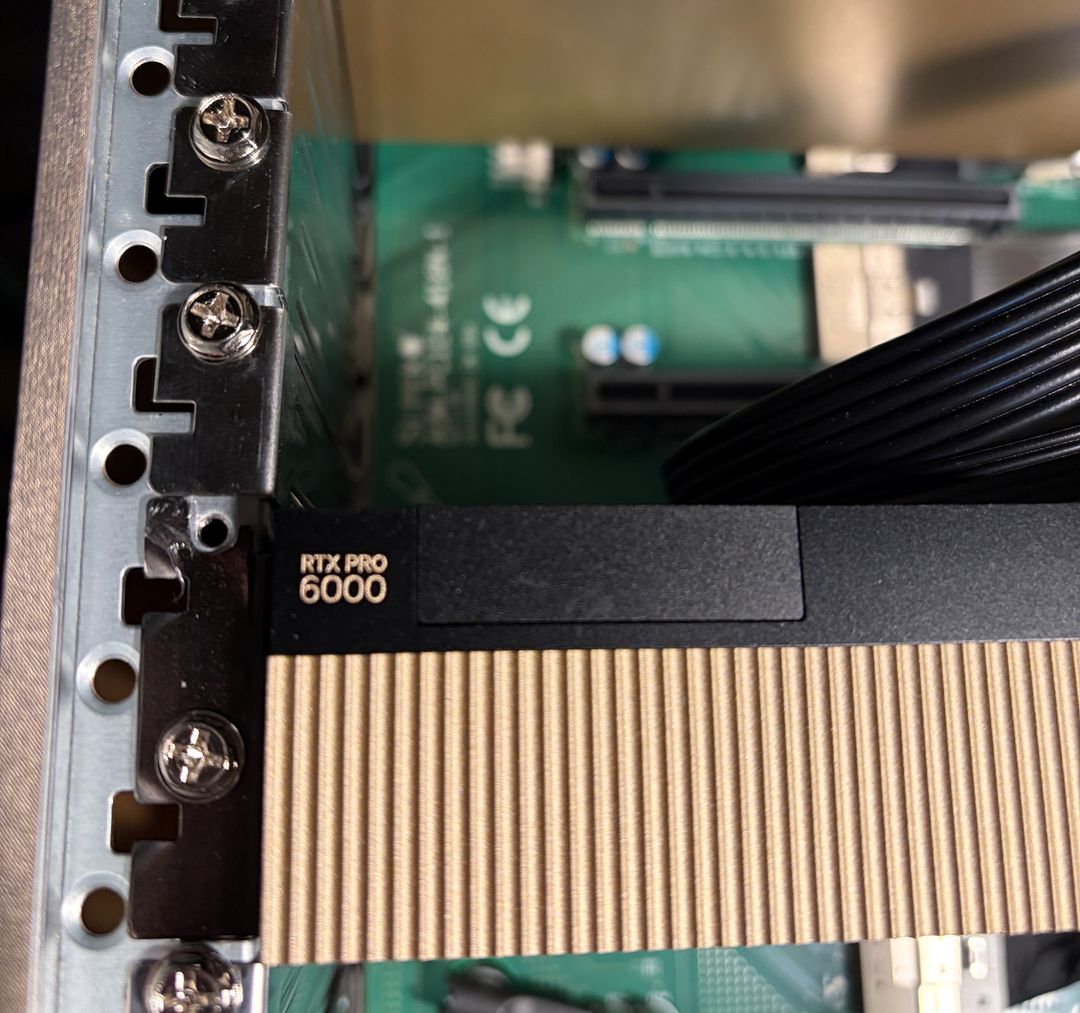
Our HyperionAI GPU Server with RTX Pro 6000 Blackwell offer:
- ✅ 100 % raw Blackwell GPU performance
- ✅ 96 GB ECC GDDR7 VRAM – built for massive LLMs & multi-model pipelines
- ✅ Latest CUDA stack with FP16, BF16, FP8, INT8 & next-gen Tensor Cores
- ✅ Ideal for LLMs, SDXL, Flux, ControlNet, LoRA / QLoRA
- ✅ Perfect for inference, fine-tuning & hybrid workloads
- ✅ Run ComfyUI, A1111, Jupyter, OpenWebUI & any Docker image
- ✅ Hosted on optimized, energy-efficient systems in EU data centers
Introduction to RTX Pro 6000 Blackwell by Markus
Learn how to deploy a Blackwell-based GPU server in minutes with preinstalled tools for development and production.
📊 Why RTX Pro 6000 Blackwell Rocks
The RTX Pro 6000 Blackwell delivers exceptional performance, exceeding benchmarks compared to other NVIDIA GPUs in our rental fleet. This is attributable to the advanced NVIDIA Blackwell architecture and its substantial 96 GB of ECC GDDR7 memory.
| GPU | VRAM | TAIFlops | flux schnell | Ornith 1.0 9B NVFP4 |
|---|---|---|---|---|
| RTX Pro 6000 Blackwell | 96 GB | 493 | 1.37 s/image | 7017 tokens/s |
| RTX Pro 5000 Blackwell | 48 GB | 349 | 2.14 s/image | 5200 tokens/s |
| RTX 4090 Pro | 48 GB | 241 | 2.63 s/image | n/a |
| RTX 5090 | 32 GB | 207 | 13.9 s/image | n/a |
Start it now - you will for sure value its speed:
🌱 Better for You, Better for the Planet
- High-efficiency Blackwell architecture → lower power per token
- No resellers – we own and operate all hardware
- 100 % green energy
- Optimized airflow, silent and stable builds
💡 What’s Included with Blackwell Blibs (HyperionAI)
- ⚙️ Preinstalled: A1111, ComfyUI, Jupyter, Ubuntu, OpenWebUI
- 🔐 Encrypted storage & private volumes
- 🧠 Full CUDA & driver freedom
- 🧰 Root access, SSH, terminal & dashboard
- 🌍 EU hosting (Germany, Netherlands, France)
- 🔄 Stop / freeze servers to save costs
- 🌐 10 open ports, NAT + firewall
- 📦 Free traffic, no hidden fees
- 💸 Vouchers, top-ups & monthly savings
Our RTX Pro 6000 Blackwell Blibs
| Blib Name | GPU | CPU RAM | Cores | NVMe | Price | +25% Promo Price** |
|---|---|---|---|---|---|---|
| hyperionai.s1 | 1× RTX Pro 6000 Blackwell 96 GB | 98 GB | 12 | 180 GB | €1.42/h or €820/m | |
| hyperionai.m1 | 1× RTX Pro 6000 Blackwell 96 GB | 104 GB | 16 | 600 GB | €1.47/h or €844/m | |
| hyperionai.l1 | 1× RTX Pro 6000 Blackwell 96 GB | 128 GB | 24 | 900 GB | €1.55/h or €892/m | |
| hyperionai.m2 | 2× RTX Pro 6000 Blackwell 96 GB | 196 GB | 30 | 600 GB | €2.78/h or €1600/m | |
| hyperionai.l2 | 2× RTX Pro 6000 Blackwell 96 GB | 240 GB | 44 | 900 GB | €2.91/h or €1676/m | |
| hyperionai.xl2 | 2× RTX Pro 6000 Blackwell 96 GB | 292 GB | 54 | 1200 GB | €3.03/h or €1744/m | |
| hyperionai.m3 | 3× RTX Pro 6000 Blackwell 96 GB | 294 GB | 42 | 600 GB | €4.10/h or €2360/m | |
| hyperionai.l3 | 3× RTX Pro 6000 Blackwell 96 GB | 340 GB | 62 | 900 GB | €4.26/h or €2448/m | |
| hyperionai.xl3 | 3× RTX Pro 6000 Blackwell 96 GB | 404 GB | 76 | 1200 GB | €4.40/h or €2532/m | |
| hyperionai.l4 | 4× RTX Pro 6000 Blackwell 96 GB | 428 GB | 78 | 900 GB | €5.57/h or €3204/m | |
| hyperionai.xl4 | 4× RTX Pro 6000 Blackwell 96 GB | 508 GB | 94 | 1200 GB | €5.75/h or €3312/m |
* Weekly and monthly subscriptions offer reduced rates. Promotional pricing includes a +25% extra credits bonus, valid for this month.
🧠 Use Cases for Blackwell Blibs
- 🚀 High-throughput LLM inference (multi-tenant or dedicated)
- 🧬 Fine-tuning very large models with 96 GB VRAM
- 🎨 Ultra-fast SDXL / Flux pipelines
- 📦 Dockerized AI services & APIs
- 💻 Interactive research via Jupyter
- 🧰 Production-grade AI backends
🗣️ Why Trooper.AI
- Specialists in GPU system design & upcycling
- No middlemen – direct hosting & fast provisioning
- Full control for developers and researchers
- German support team
- GDPR-compliant & ISO/IEC 27001 certified
We Take Care
We operate and maintain every system ourselves – from firmware to airflow.
Our RTX Pro 6000 Blackwell HyperionAI servers are built for sustained, high-load AI workloads so you can focus on shipping models, not managing hardware.
WHAT ARE YOU WAITING FOR?
Rent your own GPU server today and start building amazing AI applications! Trooper.AI GPU servers are built from purely upcycled high-end tech from the last years, designed to provide you with the best performance, security, and reliability for all your AI needs.
Rent a GPU Server for AI
EU location · High privacy · Great performance · Best support