What Does Up-cycled Hardware Mean?
At Trooper.AI, we’re committed to sustainability without compromising performance. We breathe new life into high-end server hardware through meticulous upcycling processes – all done in our state-of-the-art workbench facility in Germany.
Instead of contributing to e-waste, we carefully source and expertly refurbish enterprise-grade components—including AMD EPYC and Xeon processors, V100 to A100, and NVIDIA A4000 to 4090 GPUs - up to newest Blackwell generation. Our skilled technicians rigorously test, repair, re-work, and optimize each component to meet exacting standards.
This approach delivers powerful servers with the newest and fastest CPU core counts and NVMe speeds, while dramatically reducing environmental impact. We pair these components with highly effective, reused networking switches and transceivers, building resilient infrastructure powered by 100% renewable energy (“Ökostrom” in German).


Choose sustainable performance — built to last, and built with the planet in mind.
Fixing a Bent CPU Motherboard Pin
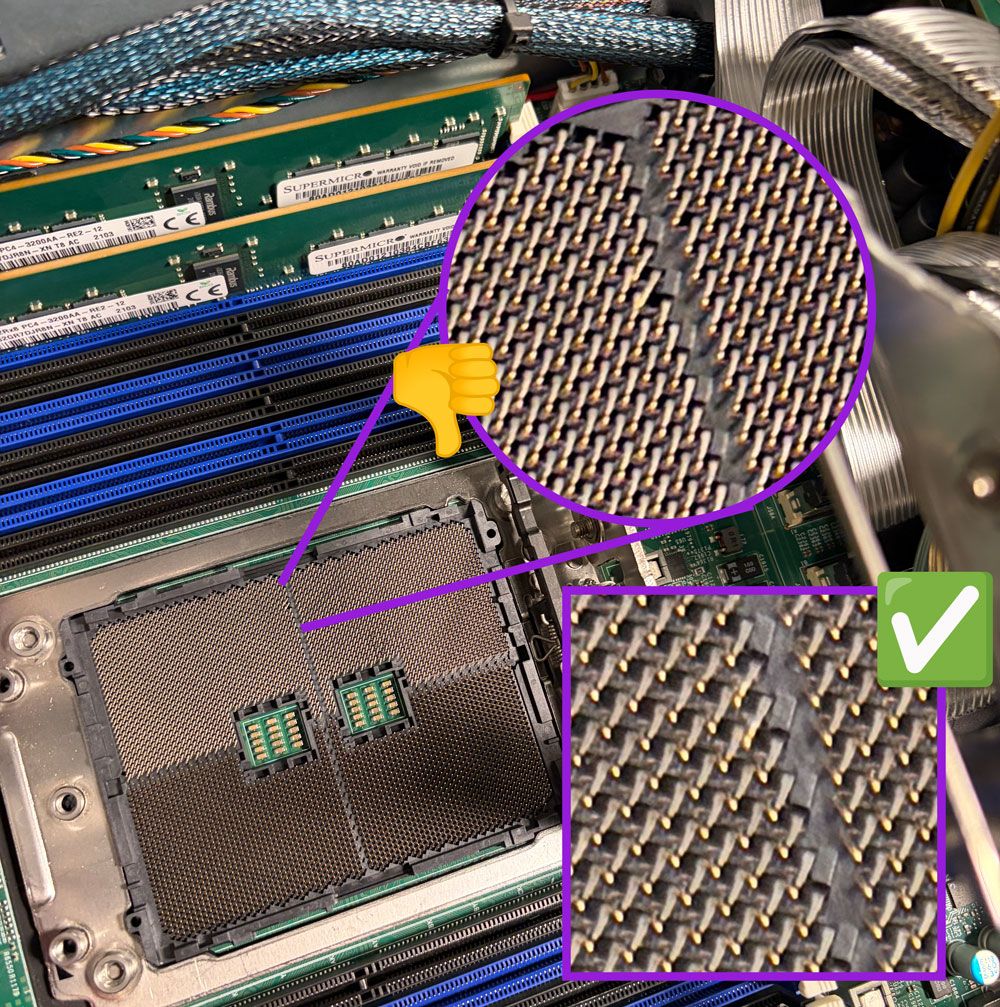
Bent CPU pins are a common issue, often caused by static discharge or mishandling during installation or removal. While seemingly delicate, many bent pins can be carefully straightened, potentially saving a valuable motherboard. Our technicians utilize a combination of patience and precision tools for this intricate work.
The process begins with a detailed inspection under magnification – we use powerful magnifying glasses to identify each bent pin. Then, employing fine tools like toothpicks or precision tweezers, we gently and incrementally coax the pins back into alignment. It’s crucial to work slowly and avoid applying excessive force, as pins can easily break. A steady hand and a keen eye are essential to ensure proper contact and prevent future issues.
Good to know: Often, previous owners didn’t recognize this issue because they didn’t fill all RAM slots, placing undue stress on the CPU socket during installation. We always fill all RAM slots to maximize memory capacity and distribute weight evenly. That’s why we need all pins 100% correctly aligned.
GPU Repasting: Restoring Peak Performance
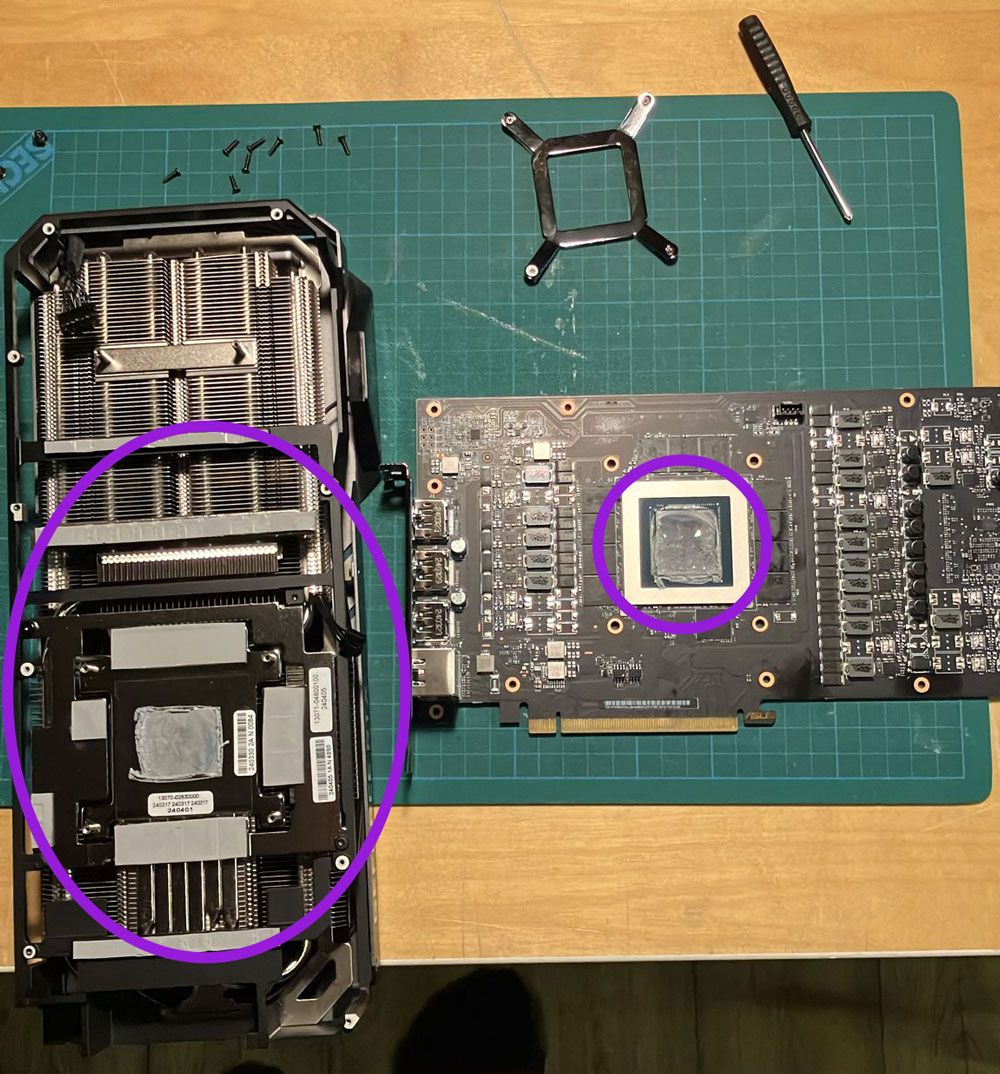
A crucial step in preparing used GPU components for our Trooper.AI servers is GPU repasting. Over time, the thermal paste between the GPU die and heatsink degrades, significantly hindering heat dissipation. This leads to thermal throttling, where the GPU reduces its clock speed to prevent overheating – effectively limiting performance to as little as 50% of its potential.
Many used GPUs arrive with accumulated dust and hardened thermal paste, often due to suboptimal gaming and working conditions such as overpacked PC cases and dusty offices or private rooms. Our expert technicians meticulously remove the old paste, thoroughly clean the heatsink and GPU surface, and apply a premium-quality thermal compound. This restores optimal heat transfer, ensuring the GPU operates at its designed clock speeds before being integrated into our Trooper.AI infrastructure. Once installed in our servers, these GPUs benefit from our optimized cooling solutions and do not require repasting ever again.
Rigorous Testing for Optimal Performance
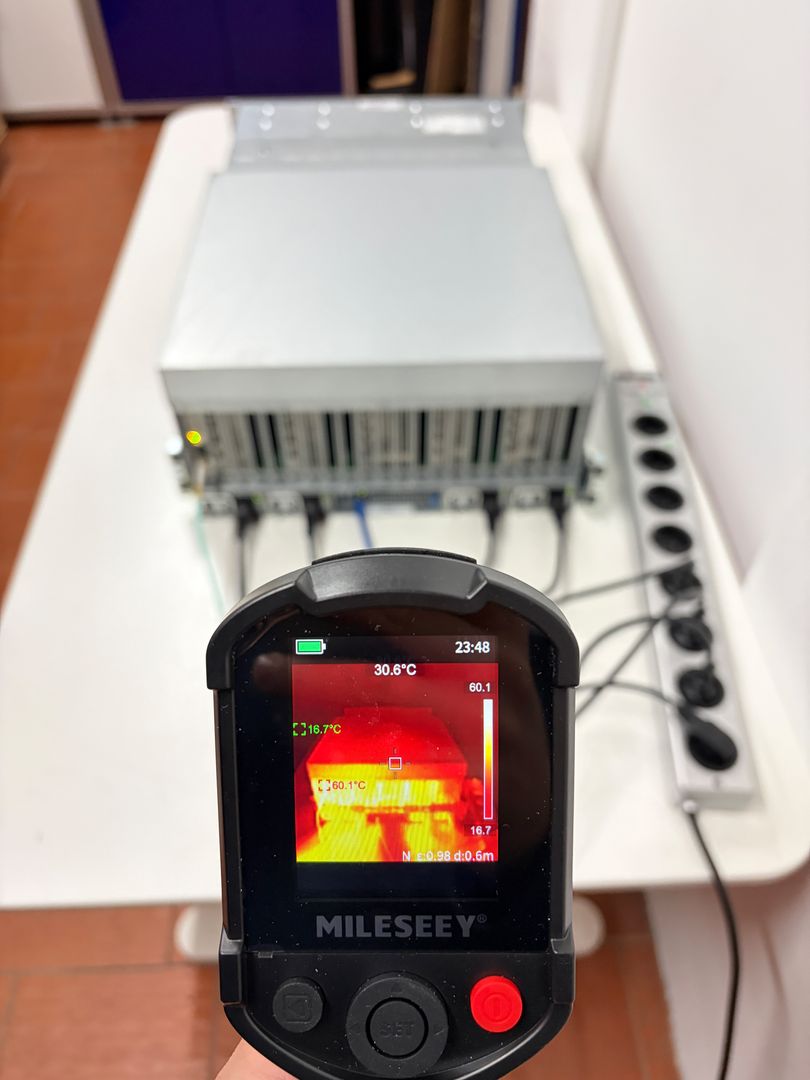
We subject each server to a comprehensive testing regimen to ensure they can withstand a wide range of operating conditions. Our testing process includes prolonged stress testing, with servers running for 24 hours under heavy loads to verify their stability and performance.
During testing, we closely monitor key parameters such as power consumption (measured in watts), temperature readings from various sensors, and airflow rates. This allows us to assess the server’s ability to manage heat and maintain optimal operating conditions. External sensors are also used to track temperature and airflow, providing a holistic view of the server’s thermal performance.
Our testing protocol includes:
- Prolonged stress testing under heavy loads
- Power consumption measurement (in watts)
- Temperature monitoring via internal and external sensors
- Airflow rate assessment
- Performance validation under various workloads
By thoroughly testing each server, we can ensure that they meet our high standards for performance, reliability, and durability, and are capable of handling the demands of our clients’ applications.
WHAT ARE YOU WAITING FOR?
Rent your own GPU server today and start building amazing AI applications! Trooper.AI GPU servers are built from purely upcycled high-end tech from the last years, designed to provide you with the best performance, security, and reliability for all your AI needs.
Rent a GPU Server for AI
EU location · High privacy · Great performance · Best support