GPU Benchmark Comparison for AI
Compare real-world performance across our GPU fleet for AI workloads. All benchmarks are collected automatically from running servers.
vLLM High-throughput benchmark - measures inference with up to 64 concurrent requests (varies by GPU model and VRAM). Best for API servers and production workloads.
Ollama Single-user benchmark - measures inference speed for one request at a time. Best for local/personal use.
IMG Image generation benchmark - measures Stable Diffusion, SDXL, Flux, and SD3.5 performance (images/min or s/image).
VIS Vision AI benchmark - measures VLM image understanding (images/min) and OCR document processing (pages/min) with 16-64 concurrent requests.
CPU CPU performance - measures single-core and multi-core operations per second for preprocessing and tokenization.
NVME Storage speed - measures NVMe read/write speeds (MB/s) for dataset loading and model checkpointing.
Calculated from real production LLM, vision and image workloads using geometric mean.
Loading benchmark data...
All Comparisons
Explore these one by one comparison of GPUs:
- A100 vs RTX 3090
- A100 vs RTX 4070 Ti Super
- A100 vs RTX 4080 Super Pro
- A100 vs RTX 4090
- A100 vs RTX 4090 Pro
- A100 vs RTX 5090
- A100 vs RTX A4000
- A100 vs RTX Pro 4000 Blackwell
- A100 vs RTX Pro 4500 Blackwell
- A100 vs RTX Pro 5000 Blackwell
- A100 vs RTX Pro 6000 Blackwell
- A100 vs V100
- RTX 3090 vs A100
- RTX 3090 vs RTX 4070 Ti Super
- RTX 3090 vs RTX 4080 Super Pro
- RTX 3090 vs RTX 4090
- RTX 3090 vs RTX 4090 Pro
- RTX 3090 vs RTX 5090
- RTX 3090 vs RTX A4000
- RTX 3090 vs RTX Pro 4000 Blackwell
- RTX 3090 vs RTX Pro 4500 Blackwell
- RTX 3090 vs RTX Pro 5000 Blackwell
- RTX 3090 vs RTX Pro 6000 Blackwell
- RTX 3090 vs V100
- RTX 4070 Ti Super vs A100
- RTX 4070 Ti Super vs RTX 3090
- RTX 4070 Ti Super vs RTX 4080 Super Pro
- RTX 4070 Ti Super vs RTX 4090
- RTX 4070 Ti Super vs RTX 4090 Pro
- RTX 4070 Ti Super vs RTX 5090
- RTX 4070 Ti Super vs RTX A4000
- RTX 4070 Ti Super vs RTX Pro 4000 Blackwell
- RTX 4070 Ti Super vs RTX Pro 4500 Blackwell
- RTX 4070 Ti Super vs RTX Pro 5000 Blackwell
- RTX 4070 Ti Super vs RTX Pro 6000 Blackwell
- RTX 4070 Ti Super vs V100
- RTX 4080 Super Pro vs A100
- RTX 4080 Super Pro vs RTX 3090
- RTX 4080 Super Pro vs RTX 4070 Ti Super
- RTX 4080 Super Pro vs RTX 4090
- RTX 4080 Super Pro vs RTX 4090 Pro
- RTX 4080 Super Pro vs RTX 5090
- RTX 4080 Super Pro vs RTX A4000
- RTX 4080 Super Pro vs RTX Pro 4000 Blackwell
- RTX 4080 Super Pro vs RTX Pro 4500 Blackwell
- RTX 4080 Super Pro vs RTX Pro 5000 Blackwell
- RTX 4080 Super Pro vs RTX Pro 6000 Blackwell
- RTX 4080 Super Pro vs V100
- RTX 4090 vs A100
- RTX 4090 vs RTX 3090
- RTX 4090 vs RTX 4070 Ti Super
- RTX 4090 vs RTX 4080 Super Pro
- RTX 4090 vs RTX 4090 Pro
- RTX 4090 vs RTX 5090
- RTX 4090 vs RTX A4000
- RTX 4090 vs RTX Pro 4000 Blackwell
- RTX 4090 vs RTX Pro 4500 Blackwell
- RTX 4090 vs RTX Pro 5000 Blackwell
- RTX 4090 vs RTX Pro 6000 Blackwell
- RTX 4090 vs V100
- RTX 4090 Pro vs A100
- RTX 4090 Pro vs RTX 3090
- RTX 4090 Pro vs RTX 4070 Ti Super
- RTX 4090 Pro vs RTX 4080 Super Pro
- RTX 4090 Pro vs RTX 4090
- RTX 4090 Pro vs RTX 5090
- RTX 4090 Pro vs RTX A4000
- RTX 4090 Pro vs RTX Pro 4000 Blackwell
- RTX 4090 Pro vs RTX Pro 4500 Blackwell
- RTX 4090 Pro vs RTX Pro 5000 Blackwell
- RTX 4090 Pro vs RTX Pro 6000 Blackwell
- RTX 4090 Pro vs V100
- RTX 5090 vs A100
- RTX 5090 vs RTX 3090
- RTX 5090 vs RTX 4070 Ti Super
- RTX 5090 vs RTX 4080 Super Pro
- RTX 5090 vs RTX 4090
- RTX 5090 vs RTX 4090 Pro
- RTX 5090 vs RTX A4000
- RTX 5090 vs RTX Pro 4000 Blackwell
- RTX 5090 vs RTX Pro 4500 Blackwell
- RTX 5090 vs RTX Pro 5000 Blackwell
- RTX 5090 vs RTX Pro 6000 Blackwell
- RTX 5090 vs V100
- RTX A4000 vs A100
- RTX A4000 vs RTX 3090
- RTX A4000 vs RTX 4070 Ti Super
- RTX A4000 vs RTX 4080 Super Pro
- RTX A4000 vs RTX 4090
- RTX A4000 vs RTX 4090 Pro
- RTX A4000 vs RTX 5090
- RTX A4000 vs RTX Pro 4000 Blackwell
- RTX A4000 vs RTX Pro 4500 Blackwell
- RTX A4000 vs RTX Pro 5000 Blackwell
- RTX A4000 vs RTX Pro 6000 Blackwell
- RTX A4000 vs V100
- RTX Pro 4000 Blackwell vs A100
- RTX Pro 4000 Blackwell vs RTX 3090
- RTX Pro 4000 Blackwell vs RTX 4070 Ti Super
- RTX Pro 4000 Blackwell vs RTX 4080 Super Pro
- RTX Pro 4000 Blackwell vs RTX 4090
- RTX Pro 4000 Blackwell vs RTX 4090 Pro
- RTX Pro 4000 Blackwell vs RTX 5090
- RTX Pro 4000 Blackwell vs RTX A4000
- RTX Pro 4000 Blackwell vs RTX Pro 4500 Blackwell
- RTX Pro 4000 Blackwell vs RTX Pro 5000 Blackwell
- RTX Pro 4000 Blackwell vs RTX Pro 6000 Blackwell
- RTX Pro 4000 Blackwell vs V100
- RTX Pro 4500 Blackwell vs A100
- RTX Pro 4500 Blackwell vs RTX 3090
- RTX Pro 4500 Blackwell vs RTX 4070 Ti Super
- RTX Pro 4500 Blackwell vs RTX 4080 Super Pro
- RTX Pro 4500 Blackwell vs RTX 4090
- RTX Pro 4500 Blackwell vs RTX 4090 Pro
- RTX Pro 4500 Blackwell vs RTX 5090
- RTX Pro 4500 Blackwell vs RTX A4000
- RTX Pro 4500 Blackwell vs RTX Pro 4000 Blackwell
- RTX Pro 4500 Blackwell vs RTX Pro 5000 Blackwell
- RTX Pro 4500 Blackwell vs RTX Pro 6000 Blackwell
- RTX Pro 4500 Blackwell vs V100
- RTX Pro 5000 Blackwell vs A100
- RTX Pro 5000 Blackwell vs RTX 3090
- RTX Pro 5000 Blackwell vs RTX 4070 Ti Super
- RTX Pro 5000 Blackwell vs RTX 4080 Super Pro
- RTX Pro 5000 Blackwell vs RTX 4090
- RTX Pro 5000 Blackwell vs RTX 4090 Pro
- RTX Pro 5000 Blackwell vs RTX 5090
- RTX Pro 5000 Blackwell vs RTX A4000
- RTX Pro 5000 Blackwell vs RTX Pro 4000 Blackwell
- RTX Pro 5000 Blackwell vs RTX Pro 4500 Blackwell
- RTX Pro 5000 Blackwell vs RTX Pro 6000 Blackwell
- RTX Pro 5000 Blackwell vs V100
- RTX Pro 6000 Blackwell vs A100
- RTX Pro 6000 Blackwell vs RTX 3090
- RTX Pro 6000 Blackwell vs RTX 4070 Ti Super
- RTX Pro 6000 Blackwell vs RTX 4080 Super Pro
- RTX Pro 6000 Blackwell vs RTX 4090
- RTX Pro 6000 Blackwell vs RTX 4090 Pro
- RTX Pro 6000 Blackwell vs RTX 5090
- RTX Pro 6000 Blackwell vs RTX A4000
- RTX Pro 6000 Blackwell vs RTX Pro 4000 Blackwell
- RTX Pro 6000 Blackwell vs RTX Pro 4500 Blackwell
- RTX Pro 6000 Blackwell vs RTX Pro 5000 Blackwell
- RTX Pro 6000 Blackwell vs V100
- V100 vs A100
- V100 vs RTX 3090
- V100 vs RTX 4070 Ti Super
- V100 vs RTX 4080 Super Pro
- V100 vs RTX 4090
- V100 vs RTX 4090 Pro
- V100 vs RTX 5090
- V100 vs RTX A4000
- V100 vs RTX Pro 4000 Blackwell
- V100 vs RTX Pro 4500 Blackwell
- V100 vs RTX Pro 5000 Blackwell
- V100 vs RTX Pro 6000 Blackwell
How We Benchmark GPU Performance
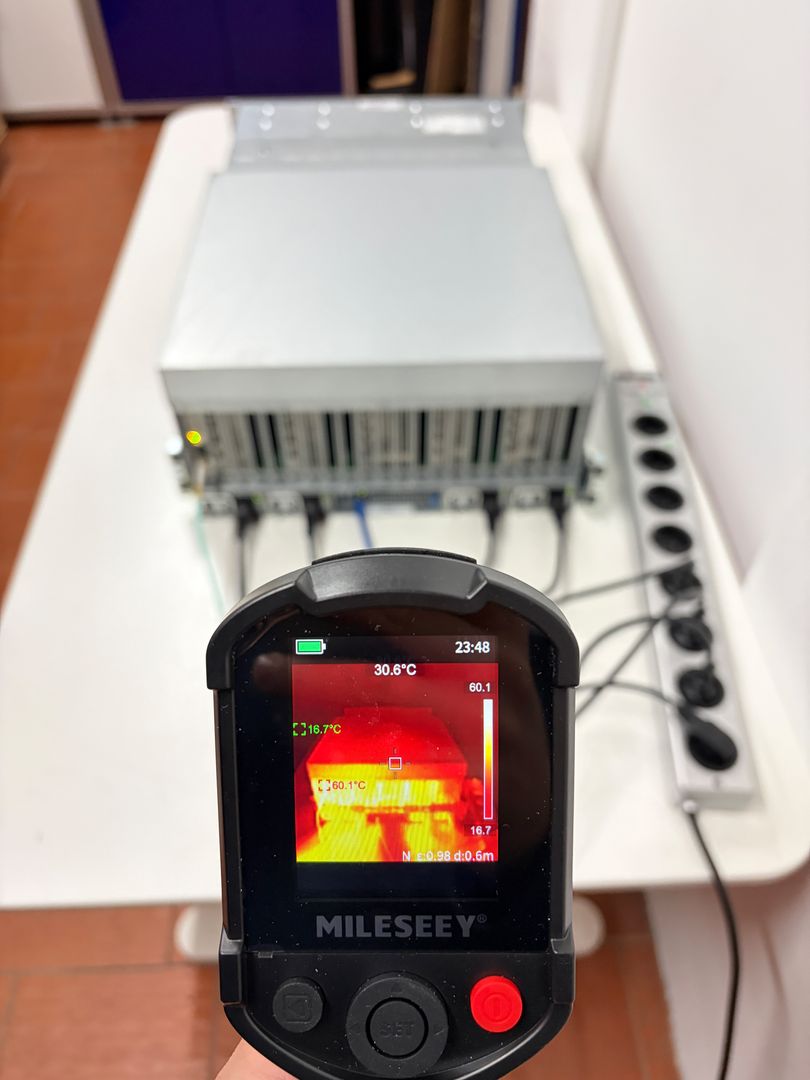
Every GPU in our rental fleet undergoes continuous performance testing to provide you with transparent, real-world data. Unlike synthetic benchmarks that run in controlled lab environments, our results come from actual production servers handling real workloads. Each server automatically reports performance metrics multiple times throughout its lifecycle, creating a comprehensive dataset that reflects true operational capabilities rather than idealized scenarios.
Our GPU Fleet
Our infrastructure spans multiple GPU generations to serve different workload requirements and budgets. The RTX Pro 6000 Blackwell represents our flagship tier with massive VRAM capacity, ideal for training large models and running the biggest LLMs without quantization. The RTX 5090 delivers exceptional single-GPU performance with cutting-edge Ada Lovelace architecture, excelling at inference tasks where raw speed matters most.
For production AI workloads, the A100 remains the datacenter gold standard with tensor cores optimized for transformer architectures and excellent multi-instance GPU (MIG) support. The RTX 4090 and RTX 4090 Pro offer outstanding price-to-performance ratios, handling most LLM inference and image generation tasks with impressive efficiency. Our RTX 3090 fleet provides budget-friendly access to capable hardware, while V100 and RTX A4000 cards serve lighter workloads and development environments where cost optimization takes priority.
LLM Inference Testing
We evaluate language model performance using two distinct frameworks that reflect real-world usage patterns:
vLLM High-Throughput Benchmarks measure how GPUs perform under production load with multiple concurrent requests. Using FP8 quantization on newer architectures (NVIDIA Ada GPUs like 40-Series and later) or bfloat16 on older GPUs for optimal efficiency, vLLM processes 16 to 64 parallel requests simultaneously (depending on GPU VRAM capacity). Your server remains completely private - high-throughput simply means it handles multiple requests at the same time, perfect for production-grade chatbots serving many users, multi-agent AI systems where agents communicate in parallel, or batch processing pipelines. Higher VRAM GPUs can handle more concurrent requests, making the RTX Pro 6000 and A100 particularly strong in these benchmarks.
Ollama Single-User Benchmarks measure raw inference speed for one request at a time - the experience you get when running a local chatbot or personal AI assistant. These results show the fastest possible response time without request queuing or batching overhead. If you're building a personal coding assistant, running private document analysis, or prototyping before scaling up, Ollama benchmarks tell you exactly how responsive your GPU will feel.
Our test suite includes models ranging from efficient 8B parameter variants like Llama 3.1 and Qwen3 up to demanding 70B+ models including DeepSeek-R1 and GPT-OSS. Token generation speed (tokens per second) directly determines how quickly your chatbots respond, how fast you can process documents, and overall user experience in conversational AI applications.
Image Generation Testing
Diffusion model benchmarks cover the complete spectrum from lightweight Stable Diffusion 1.5 to resource-intensive Flux and SD3.5-large architectures. We measure both throughput (images per minute) for batch processing scenarios and latency (seconds per image) for interactive applications. SDXL-Turbo results are particularly relevant for real-time generation, while standard SDXL and Flux benchmarks reflect quality-focused production workloads.
Vision AI Testing
Vision benchmarks evaluate multimodal and document processing capabilities under high concurrent load (16-64 parallel requests) to measure realistic production throughput. We use real-world test data to ensure accuracy:
Vision-Language Model Testing: LLaVA 1.5 7B (7 billion parameter multimodal model) processes a photograph of an elderly woman in a flower field with a golden retriever dog. The model must describe the scene, identify objects, and answer questions about the image content. Running with batch size 32 (32 parallel image analysis requests), we measure images per minute - critical for applications like product photo analysis, content moderation, visual Q&A systems, or automated image tagging at scale.
OCR Document Processing: TrOCR-base (transformer-based OCR model with 334M parameters) scans historical text from Shakespeare's Hamlet - authentic book pages from centuries past with period typography and aging paper texture. To accurately measure pages per minute throughput, we replicate these scanned pages to create a 2,750-page test corpus, simulating real document digitization workloads. With batch size 16 (16 pages processed simultaneously), we measure pages per minute for automated document processing, invoice scanning, historical archive digitization, and large-scale text extraction workflows. Higher throughput means your GPU can handle more concurrent users or process larger document batches faster.
System Performance
GPU performance alone doesn't tell the complete story. Our benchmarks include CPU compute power (single-core and multi-core operations per second) which affects data preprocessing, tokenization, and model loading times. NVMe storage speeds determine how quickly you can load large datasets, checkpoint models, and swap between different AI projects. These factors become critical bottlenecks when working with large-scale training or serving multiple concurrent users.
Data Quality: All metrics represent averaged values from multiple test runs across different times and system states. Performance can fluctuate based on thermal conditions, concurrent workloads, and driver versions. Our historical data accumulation ensures increasingly accurate averages over time.
Why We Created TAIFlops GPU Score
As AI developers ourselves, we faced a frustrating problem: how do you actually compare GPUs for real AI workloads? NVIDIA publishes theoretical TFLOPS ratings, but those synthetic numbers tell you nothing about how your LLMs will run or how fast your image generation will be. A GPU with 100 TFLOPS might outperform one with 150 TFLOPS on actual inference tasks due to memory bandwidth, tensor core utilization, or software optimizations.
When you're choosing between an RTX 4090, A100, or RTX 5090 for your production API, you don't care about theoretical peak performance under perfect laboratory conditions. You need to know: Which GPU will give me faster inference for Llama 3.1 70B? Which one processes SDXL images more efficiently? Which handles vision workloads better?
We created the TAIFlops (Trooper AI FLOPS) score to solve exactly this problem. It's a single number that represents real-world AI performance across the workloads that actually matter to developers:
- Large Language Models - Token generation speed for chatbots, coding assistants, and document processing
- Image Generation - How fast you can create images with Stable Diffusion, SDXL, and Flux
- Vision AI - Throughput for image analysis with Vision-Language Models and document OCR
- Production Load - Performance under concurrent requests, not just single-user scenarios
Unlike synthetic benchmarks, TAIFlops comes from actual production servers in our fleet running real AI workloads. Every score is averaged across hundreds of benchmark runs from real hardware serving real customers. For example, if a GPU scores 300 TAIFlops, it performs roughly 3× faster than the RTX 3090 across real AI workloads.
TAIFlops GPU Performance Ranking
Real-world AI performance scores. RTX 3090 = 100 baseline. Higher is better.
How TAIFlops Score Is Calculated
TAIFlops uses a mathematically rigorous approach designed to give you accurate, comparable performance scores. Here's the complete methodology:
1. Baseline Reference GPU
We use the RTX 3090 24GB as our baseline at exactly 100 TAIFlops. Why the RTX 3090? It's widely deployed, well-understood, and represents solid mid-range AI performance. It's the "1x speed" reference point - everything else scales relative to it.
2. Collecting Real-World Benchmarks
Every GPU in our rental fleet automatically runs comprehensive benchmarks multiple times throughout its lifecycle. We collect:
- vLLM High-Throughput - LLM inference with 16-64 concurrent requests (Llama 3.1 8B/70B, Qwen3, DeepSeek-R1, etc.)
- Ollama Single-User - Individual request speed for personal AI assistants
- Image Generation - Stable Diffusion 1.5, SDXL, SDXL-Turbo, Flux Schnell, SD3.5
- Vision AI - LLaVA 1.5 7B for image understanding (images/min), TrOCR-base for OCR (pages/min)
Each benchmark runs 10+ times to ensure statistical reliability. We store every result in our database, building a comprehensive performance dataset over time.
3. Computing Performance Ratios
For every benchmark where both the test GPU and RTX 3090 baseline have data, we calculate a performance ratio:
ratio = test_gpu_value / baseline_gpu_valueThis ratio represents how many times faster (or slower) the test GPU performs compared to our baseline. A ratio of 1.50 means the GPU is 50% faster than RTX 3090, while 0.80 means 20% slower.
Important: We handle "lower is better" metrics (like seconds/image) by inverting them - if a GPU takes 2.61s/image and RTX 3090 takes 5.40s/image, we calculate the ratio as 5.40 / 2.61 = 2.07x faster.
4. Geometric Mean Across All Benchmarks
Here's where the magic happens. We don't use a simple average because that would be statistically incorrect - a GPU that's 2x faster on one benchmark and 1x on another isn't really "1.5x faster overall." Instead, we use the geometric mean:
geometric_mean = (ratio₁ × ratio₂ × ratio₃ × ... × ratioₙ)^(1/n)The geometric mean correctly handles multiplicative relationships. If a GPU is consistently 1.5x faster across all benchmarks, its geometric mean is 1.5x. If it's 2x faster on half the benchmarks and 1x on the other half, the geometric mean correctly shows ~1.41x (not 1.5x from a simple average).
5. Converting to TAIFlops
Finally, we scale the geometric mean to our 100-point baseline:
TAIFlops = geometric_mean × 100So if the GPU's geometric mean across all AI benchmarks is 2.02x the RTX 3090, it scores 202 TAIFlops. If another GPU averages at 0.55x, it scores 55 TAIFlops.
6. What Makes TAIFlops Accurate
- Real Production Data - Not synthetic lab benchmarks, but actual workloads from running servers
- Comprehensive Coverage - Includes LLMs (both throughput and single-user), image generation, and vision AI
- Statistical Rigor - Geometric mean correctly handles performance ratios; averaging hundreds of benchmark runs ensures reliability
- Automatic Updates - Scores improve over time as we accumulate more data and add new benchmark types
- Fair Comparisons - Only benchmarks that both GPUs have data for are included in the geometric mean. GPUs with broader benchmark coverage naturally benefit from representing more real workloads.
7. Reading TAIFlops Scores
TAIFlops gives you instant performance comparisons:
- 493 TAIFlops (RTX Pro 6000 Blackwell) = 4.93x faster than RTX 3090 baseline
- 207 TAIFlops (RTX 5090) = 2.07x faster than baseline
- 100 TAIFlops (RTX 3090) = The baseline reference point
- 52 TAIFlops (RTX A4000) = 0.52x baseline speed
When comparing two GPUs, divide their TAIFlops: A 241 TAIFlops GPU (RTX 4090 Pro) is 241/207 = 1.16x faster than a 207 TAIFlops GPU (RTX 5090) across all AI workloads.
8. Transparency & Reproducibility
Every benchmark result that goes into TAIFlops calculations is visible in the table above. You can see the exact token/s, images/min, and pages/min values for each GPU and model. This transparency means you can:
- Verify our calculations are fair and accurate
- Focus on specific benchmarks relevant to your use case
- Understand why one GPU scores higher than another
- Make informed decisions based on real data, not marketing claims
Bottom line: TAIFlops gives you a single, trustworthy number backed by real production data. When you rent a GPU from us, you know exactly what performance you're getting - no surprises, no inflated marketing numbers, just accurate real-world AI performance scores.